
Stripe, PayPal, and Square Bookkeeping: Fees, Payouts, and Clearing Accounts
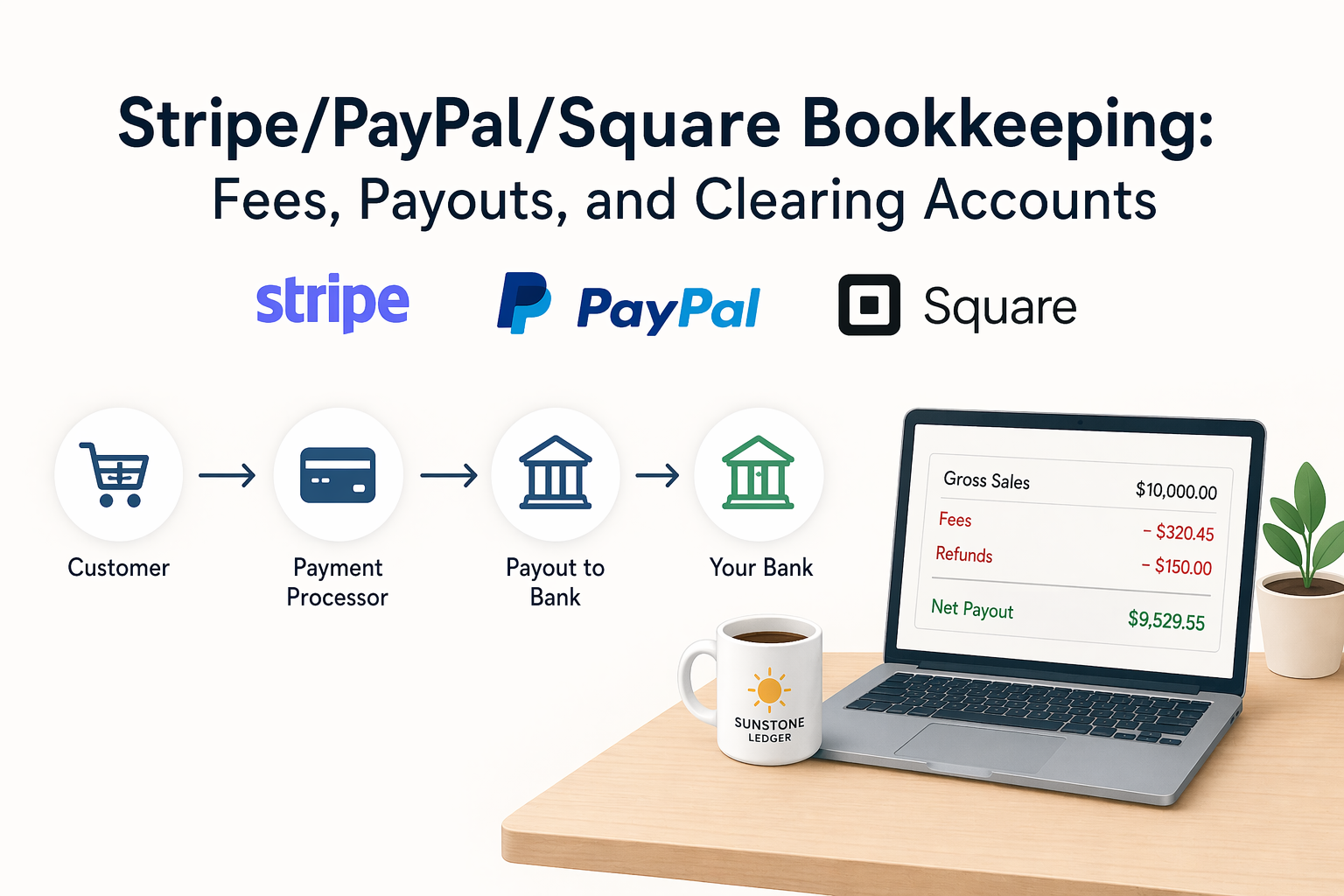
Payment processors — Stripe, PayPal, Square, and similar platforms — sit between your customer and your bank account. They collect the money, deduct fees, hold funds for a settlement period, and send you a net payout that rarely matches any individual invoice or sales total. If you record transactions based on what lands in your bank, your revenue is understated. If you record only gross sales without capturing fees, your expenses are understated. Either way, the books are wrong.
The core problem is timing and netting. A processor receives money on one day, deducts its fee, holds the balance for one to three business days, batches it with other transactions, and sends a single payout. By the time the money reaches your bank, the connection between the original sale and the bank deposit is no longer visible — unless your bookkeeping system is designed to preserve it.
This guide explains how to record processor activity correctly, what a clearing account is and why it solves the matching problem, and how to handle the specific complications that arise from refunds, chargebacks, and split payouts.
Gross Sales vs. Net Deposits: A Numeric Example
This distinction is the foundation of everything else in processor bookkeeping. Understanding it with actual numbers makes the problem concrete.
In one week, your business processes the following transactions through Stripe:
| Transaction | Gross Amount | Stripe Fee (2.9% + $0.30) | Net to Payout |
|---|---|---|---|
| Sale #1 | $500.00 | $14.80 | $485.20 |
| Sale #2 | $1,200.00 | $35.10 | $1,164.90 |
| Sale #3 | $340.00 | $10.16 | $329.84 |
| Total | $2,040.00 | $60.06 | $1,979.94 |
Your bank receives one deposit: $1,979.94. If you record that deposit as revenue, you understate income by $60.06 — the fees are invisible. If you look at your Stripe dashboard and record $2,040.00 as revenue without recording the $60.06 as a fee expense, expenses are understated. The correct approach records both: $2,040.00 as revenue and $60.06 as merchant fee expense. The net effect on profit is the same, but each line is accurate and the reports are correct.
What Is a Clearing Account and Why You Need One
A clearing account is a temporary holding account in your chart of accounts that acts as a bridge between processor activity and your bank account. It functions similarly to Undeposited Funds in QuickBooks, but specifically designed for the processor flow where fees, refunds, and timing gaps complicate direct recording.
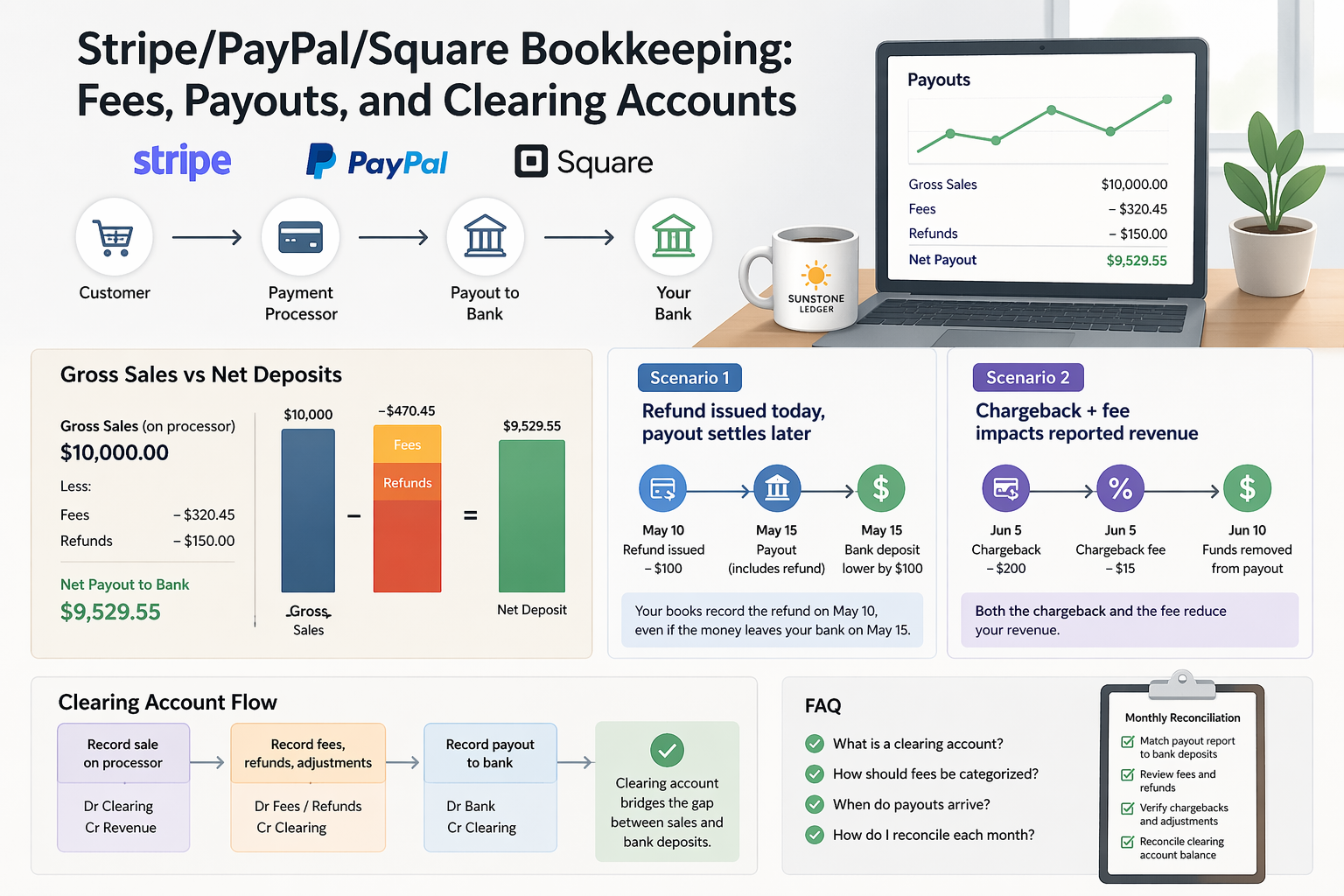
Here is how it works in practice. When a customer pays $500 through Stripe, you record the full $500 as revenue and $500 into the clearing account (e.g., "Stripe Clearing"). When Stripe sends its payout — say, $485.20 after fees — you record the $485.20 as leaving the clearing account and arriving in your bank, plus $14.80 leaving the clearing account as a merchant fee expense. The clearing account returns to zero, and both revenue and fees are captured correctly.
Without a clearing account, you are forced to either record net deposits (understating revenue) or manually reconstruct every payout from processor reports. The clearing account makes the math automatic and keeps the audit trail clean.
Mini-Scenario #1: Refund Issued Today, Payout Settles Later
A customer purchases a $300 service on October 2. The transaction processes through Square and is included in a payout scheduled for October 4. On October 3 — before the payout is sent — the customer requests a refund. Square processes the refund and reverses the $300, minus the original processing fee of $9.00, which Square does not return.
The October 4 payout arrives at the bank with no trace of this sale — it was reversed before settlement. The Square dashboard shows the original sale, the refund, and a $9.00 non-refundable fee. The bank shows nothing for this transaction at all.
If you record bookkeeping only from the bank feed, this $9.00 fee is invisible. The sale never appears because it never hit the bank. The refund never appears because there was nothing to reverse in the bank. You have an unreported expense and a gap in your revenue record.
The correct recording: log the original $300 sale as revenue into the clearing account, log the $300 refund as a revenue reduction out of the clearing account, and log the $9.00 as a merchant fee expense. The clearing account closes to zero. Revenue is correctly reduced by the refund. The fee is captured. The books reflect what actually happened.
Mini-Scenario #2: Chargeback and Its Impact on Reported Revenue
A customer disputes a $450 charge processed through PayPal. PayPal initiates a chargeback and immediately debits $450 from your PayPal balance, plus a chargeback fee of $20. You contest the dispute but lose. The total impact is $470 removed from your PayPal account.
In the bank, you see a payout that is $470 lower than expected — or, if your PayPal balance was insufficient, a separate debit of $470 from your bank account. There is no line item explanation. Without processor-level reporting, the reason for the shortfall is invisible.
The correct recording separates the components: the original $450 sale stands as revenue (it was a legitimate transaction). The chargeback reversal is recorded as a $450 reduction to revenue or as a separate contra-revenue account. The $20 chargeback fee is recorded as a bank or processor fee expense. If you won the dispute instead, only the $20 fee applies — revenue is restored.
Chargebacks that are not recorded correctly overstate revenue by the disputed amount and omit the fee. Over time, they distort both the P&L and the reconciliation of the processor clearing account.
How Each Major Processor Structures Payouts
Each platform has a different settlement model, and understanding the difference matters for how you set up your clearing account.
Stripe settles on a rolling basis — typically two business days after each transaction for US accounts. Fees are deducted before payout. Stripe provides detailed payout reports downloadable as CSV, showing each transaction, fee, refund, and the net payout amount. Stripe also integrates directly with QuickBooks Online, which can automate much of the recording if configured correctly.
PayPal holds funds in a PayPal balance account before transfer to the bank. The PayPal balance itself functions as a separate account in your books — not just a processor, but a quasi-bank account. Transfers to your bank are manual or scheduled, and the balance can include sales, refunds, chargebacks, and fees accumulated over variable periods. PayPal should be treated as its own account in QuickBooks, with a separate clearing reconciliation.
Square settles next business day by default for standard accounts. Instant transfers are available at an additional fee. Square provides transaction-level reports and a monthly summary. Square's integration with QuickBooks is available but requires configuration to capture fees correctly rather than recording only net deposits.
Fee Categorization: Where Processing Fees Go in the Books
Payment processing fees are a business expense. They are not a reduction of revenue — they are a cost of accepting payments, similar to bank fees. The correct income statement treatment is:
- Record the full gross sale amount as revenue (e.g., Sales, Service Revenue).
- Record the processor fee as an operating expense — typically categorized as "Merchant Fees," "Payment Processing Fees," or "Bank and Credit Card Fees" in your chart of accounts.
This separation matters for two reasons. First, it keeps revenue figures accurate — if you net out fees against revenue, your top-line sales number is understated, which distorts margins and comparisons over time. Second, fees are deductible business expenses, and they need to appear as expenses to be properly deductible on your tax return.
For businesses processing significant volume, merchant fees often represent $5,000 to $30,000 or more per year. Recording them correctly is not a minor detail.
How to Reconcile a Payment Processor Monthly
Reconciling a processor account is a separate step from reconciling your bank. Both are required for accurate books.
- Download the payout report from your processor for the month. Stripe, PayPal, and Square all provide this. The report shows gross sales, individual fees, refunds, chargebacks, and net payouts.
- Confirm each payout in the report matches a deposit in your bank. Payout date and amount in the processor report should correspond to a bank deposit within one to three business days. Any discrepancy needs an explanation — typically a refund, chargeback, or fee adjustment.
- Check the clearing account balance. At month-end, the processor clearing account in QuickBooks should be zero or close to zero. A remaining balance means either a payout was not recorded in QuickBooks, or a transaction in QuickBooks was not matched to a real payout.
- Reconcile refunds and chargebacks separately. Cross-reference processor-reported refunds with what is recorded in QuickBooks. Each refund and chargeback should have a corresponding entry that reduces revenue and, where applicable, records the associated fee.
- Verify fee totals. Sum the fees shown in the processor report and confirm they match the merchant fee expense recorded in QuickBooks for the month. A gap indicates fees were either missed or duplicated.
What to Do This Month
- Set up a clearing account for each processor you use. If you use Stripe, PayPal, and Square, each should have its own clearing account in QuickBooks. This keeps processor activity separated and makes reconciliation straightforward.
- Download payout reports for the last three months and compare them to what is recorded in QuickBooks. Identify any months where the clearing account did not close to zero — that is where errors are hiding.
- Review your chart of accounts for merchant fee accounts. If fees are currently being recorded as revenue reductions rather than expense line items, correct the categorization going forward.
- Check for unrecorded refunds and chargebacks. Pull the dispute history from each processor and cross-reference with your books. Any chargeback not recorded in QuickBooks represents both an overstated revenue figure and a missing expense.
- Set a monthly reconciliation date. Processor reconciliation should happen within the first week of the following month, after all payouts from the prior month have settled. Doing it monthly prevents the backlog from compounding.
Why This Matters Beyond Clean Books
Processor bookkeeping errors compound across multiple reports simultaneously. Unrecorded fees understate expenses and overstate profit — which means overstated taxable income and overpaid taxes. Unrecorded refunds overstate revenue. Unrecorded chargebacks do both. A clearing account that never zeros out means the balance sheet carries a phantom asset.
For e-commerce businesses processing significant volume, these errors scale with transaction count. A business doing $50,000 per month in Stripe volume with a 2.9% fee has approximately $1,450 in fees every month — $17,400 per year. If those fees are not recorded correctly, the tax impact alone is substantial.
If your processor reconciliation is not part of your monthly close process, or if you are recording only net deposits from the bank feed, the books need to be corrected. See our bookkeeping services or review pricing options to understand how we can help.
You can also explore more guides in our blog or review the related article: Invoices, Deposits, and Undeposited Funds in QuickBooks.
Get your processor reconciliation right
If you use Stripe, PayPal, or Square and are not sure your fees, refunds, and payouts are recorded correctly, we can review your setup and fix the workflow.
FAQ
What is a clearing account and do I need one for each processor?
A clearing account is a temporary holding account in your chart of accounts that captures processor activity — sales, fees, refunds — before the net payout reaches your bank. It bridges the gap between gross transaction volume and the lower net amount that actually lands in your account. If you use multiple processors, a separate clearing account for each keeps the activity isolated and makes reconciliation straightforward.
How should I categorize payment processing fees?
Processing fees are an operating expense, not a reduction of revenue. Record the full gross sale as revenue and the fee as a separate expense line — typically labeled "Merchant Fees," "Payment Processing Fees," or "Credit Card Fees" in your chart of accounts. This keeps your top-line revenue accurate and ensures fees are properly deductible on your tax return.
Why does my bank deposit not match my sales total?
Because processors deduct fees before sending payouts, batch multiple transactions into a single transfer, and may net refunds or chargebacks against the payout. The bank deposit reflects net settled funds, not gross sales. The difference consists of fees, refunds, and timing adjustments — all of which need to be recorded separately in your books to keep revenue and expenses accurate.
How do I reconcile my processor account monthly?
Download the monthly payout report from your processor. Match each payout in the report to a bank deposit. Verify the clearing account in QuickBooks closes to zero at month-end. Cross-reference refunds and chargebacks with QuickBooks entries. Confirm that total fees in the processor report match the merchant fee expense recorded in QuickBooks. Any remaining gap requires a specific journal entry to correct.
What happens if I just record net deposits from the bank feed?
Recording only net deposits understates revenue by the amount of all processing fees, since fees are deducted before the deposit arrives. It also makes refunds and chargebacks invisible unless they happen to net against the same payout. Over time, both revenue and expenses are inaccurate, tax deductions are missed, and reconciliation becomes increasingly difficult to perform correctly.
How are chargebacks recorded differently from refunds?
A refund is initiated by you and reduces revenue. A chargeback is initiated by the customer's bank and reverses the payment forcibly — plus adds a chargeback fee charged by the processor (typically $15–$25). Both reduce revenue, but the chargeback also carries an additional fee that must be recorded separately. If you win the dispute, the revenue is restored but the fee may still apply, depending on the processor.